
Chinese kanji instead of Japanese

Hi, I have found similar topic in the Community Center but it’s super old.
I am getting Chinese version of the kanji instead of Japanese. This kanji 直 is displayed correctly everywhere (browser, system, google) besides in the card/deck.
How to fix this?

Also I have noticed that every now and then the font of the kanji in the card will change by itself. For example, sometimes it will be in bold and then return to normal - all super randomly.
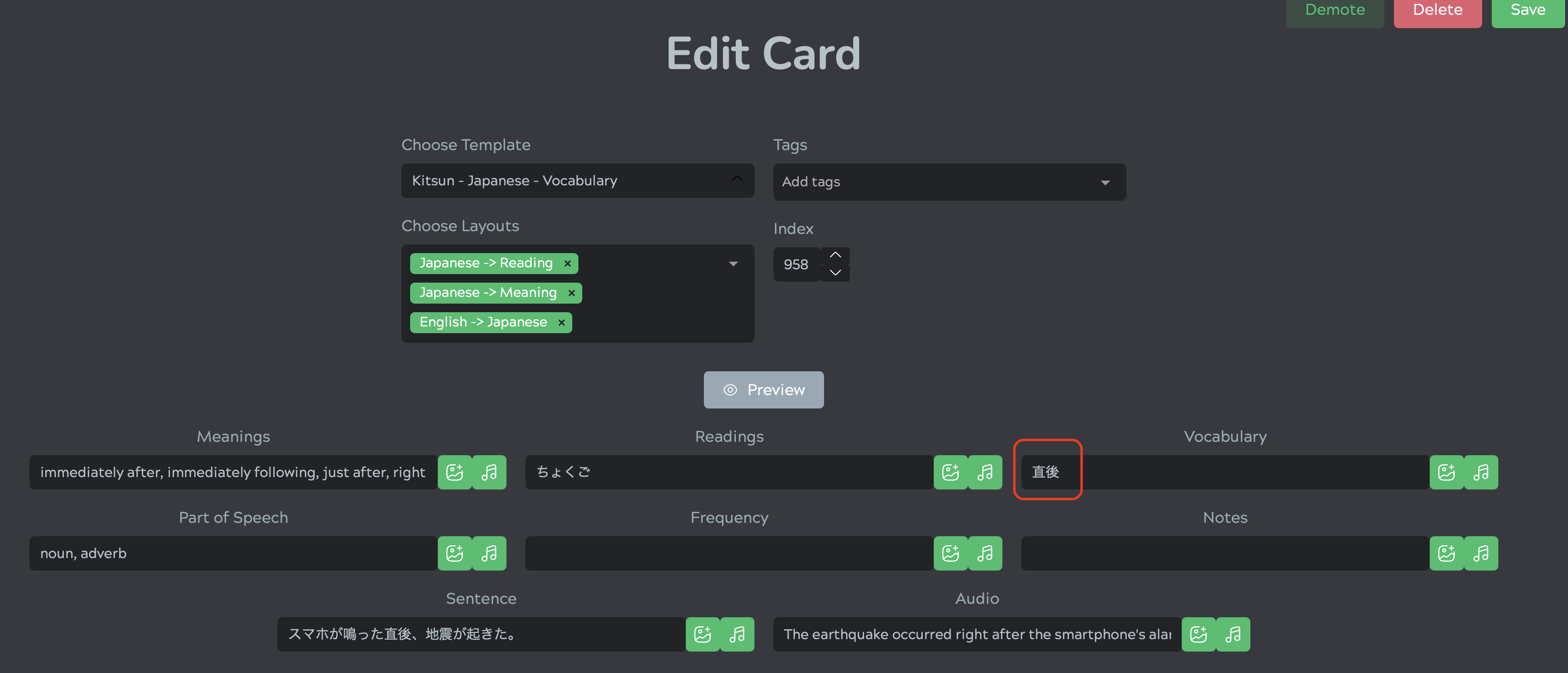
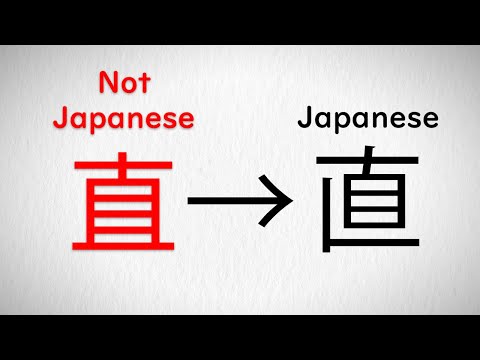
no clue whats up with your problem, strange to say the least.
anyhow, its nice to see someone else around here~ there aren’t many people left these days. cheers mate

1 Like

More likely a shared unicode issue and not Kitsun, this video talks about it

hey. this is not a wider problem as chinese font/characters shows only in Kitsun. anywhere else it displays proper japanese kanji.
What is more interesting, it was working properly and out of the blue started showing me chinese font.
Also, I am using macOS and safari :smiley:

I see, not even deck-specific; the dictionary search does the same thing.

If you want the developer’s attention, would suggest posting in the Kitsun Discord channel.

Seems like I have found the reason.
Kitsun.io uses depreciated Google Font Early Access database and since it can’t load them, it defaults to Hiragino Sans GB, which basically turns the Japanese kanji into Chinese characters.

I have sent two emails to support@kitsun.io, but no response…Any ideas how to contact someone from Kitsun, so they can check if my suspicions are correct?